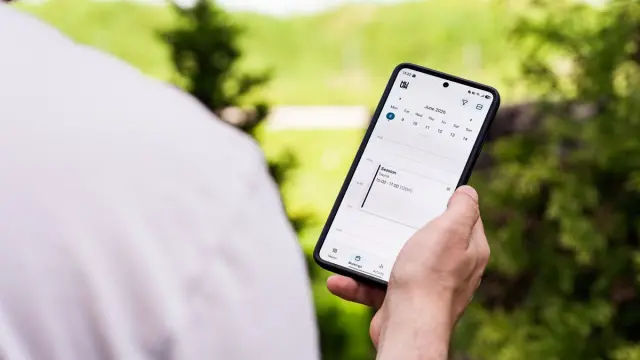
Having an appointment booking app built makes sense when your customers book with you often and repeatedly, and an off-the-shelf booking tool doesn't fit the way you work. Think of a salon with regular clients, a practice with treatment courses or a driving school with lesson packages. In the app, customers pick a time themselves, get reminders and see their past and upcoming appointments.
For many businesses, a booking module on the website is already enough. In this article you'll read when your own appointment app pays off, which features belong in it and how to approach the project. If you're mainly looking for a system for online booking on your website, first read our article on an online booking system.
When is your own appointment booking app worth it?
An app asks your customer to install something. They'll only do that if they need you often. Your own appointment app is a good fit for:
- Regular customers who come back every few weeks, such as at a hairdresser, beauty salon or physiotherapist.
- Programmes with several appointments, such as driving lessons, a course of treatments or a coaching programme.
- Businesses with several staff, locations or types of treatment, where standard tools quickly become messy.
- Situations where you want more than just booking, such as lesson packages, credit, progress tracking or documents.
Do customers come once or twice a year? Then a clear booking button on your website is usually smarter than an app.
Which features belong in an appointment app?
Start with the basics and only add extras later. Customers almost always expect these features:
- Seeing available times and booking straight away, per treatment and possibly per staff member.
- Rescheduling or cancelling an appointment, within the rules you set.
- Automatic confirmation and a reminder beforehand, by push notification, email or text message.
- An overview of upcoming and past appointments.
- Logging in, so customers don't have to fill in their details every time.
- Optional: paying in advance or a deposit, to cut down on no-shows.
For you as the business owner, the back end is just as important: an overview of your diary, rotas per staff member, buffer time between appointments and days off you can block easily.
Off-the-shelf or a custom appointment booking app?
There are plenty of standard apps for appointments. They're quick to set up and often good enough. A custom appointment app only makes sense when the standard solutions genuinely fall short.
- Off-the-shelf: live quickly, low start-up costs, but a monthly subscription per staff member or location. Your customer often sees the provider's name and you're tied to their features.
- Custom: higher start-up costs, but exactly your way of working, your branding and integrations with your own systems. Your data and customer relationship stay yours.
- Hybrid: a standard scheduling tool in the background, with your own app or web app in front.
When comparing, add up the costs over a few years. A cheap subscription per staff member can turn out more expensive than you think as you grow. Also read our article on custom versus off-the-shelf software.
App, web app or booking module on your website?
You don't have to head straight for the App Store. There are three options, which you can also combine:
- Booking module on your website: customers book without installing anything. Ideal for new customers.
- Web app: an app that runs in the browser and that customers can add to their home screen. One version for every device.
- Native app: an app from the App Store and Google Play. The best experience for regular customers, and notifications work most reliably.
Many businesses start with booking through the website and a web app, and only move to the app stores when regular customers ask for it. You can send reminders in all three. Read more about push notifications and when they work.
How to approach building an appointment booking app
- Write down how an appointment works now, from first contact to after the appointment. Where is time lost?
- Set your rules: how far ahead can people book, how late can they cancel, how much buffer is there between appointments?
- Decide which systems need to be connected, such as your calendar, till system or accounting software.
- First have a simple design of the screens made and test it with a few regular customers.
- Build the first version with only the core features, then expand.
See projects in our work.
Common mistakes with an appointment app
- Making customers create an account before they can see which times are free. Show the times first and only ask for details when they book.
- Too many choices on one screen. First choose the treatment, then the staff member, then the time.
- Not accounting for how long treatments take, creating gaps or double bookings in your diary.
- Keeping a separate diary alongside the app. The two get out of sync and a customer books a slot that's already taken.
- Forgetting reminders, even though they do the most to prevent no-shows.
- No clear cancellation rules in the app, leading to arguments over late cancellations.
Mind privacy too. An appointment app holds names, phone numbers and sometimes health information, for example at a physiotherapist. Only ask for what you really need and make sure the data is well secured. If you're unsure about the rules, ask a lawyer or the Dutch Data Protection Authority (Autoriteit Persoonsgegevens).
How much does an appointment booking app cost?
The cost depends on the format, the number of features and the integrations. A booking module on an existing website is the cheapest. A web app with logins and reminders costs more. A native app for iPhone and Android, with payments and integrations, is the biggest project. On top of that, budget for ongoing costs for hosting, maintenance and any text messages.
At Violexa, a custom website, app or web application starts from €1,799 excl. VAT (€2,177 incl. VAT) per project. Larger projects get a fixed price in writing upfront, so you know where you stand. Read more about our approach under websites and apps.
Torn between a standard tool and your own appointment app? Book a free quickscan. In 30 minutes, online or on site, we look at how you schedule appointments now. Afterwards you get short written advice with a price estimate, with no obligation.
Frequently asked questions
How much does it cost to have an appointment booking app built?
That depends on the format and the features. A booking module on your website is the cheapest, a native app with payments and integrations the most expensive. At Violexa, custom work starts from €1,799 excl. VAT (€2,177 incl. VAT) per project.
Can I use a free app to schedule appointments instead?
Yes, there are standard apps with a free or cheap basic plan. For a small business with one member of staff they're often enough. Watch the costs as you grow and check whether you can export your customer data.
How do you prevent no-shows with an appointment app?
Send an automatic reminder, for example a day before. Make rescheduling easy, so customers don't simply fail to turn up. For expensive treatments, a deposit at booking can help.
Is a web app enough for taking bookings?
For many businesses, yes. A web app works on any device and customers can add it to their home screen. A native app mainly makes sense for regular customers who book often.