
With an online booking system, customers book an appointment themselves on your website, whenever it suits them. Even at eleven at night, long after you've finished for the day. Your calendar fills up without you having to send calls and messages back and forth.
An appointment system can be an off-the-shelf package you rent, or a custom module that fits exactly how you work. In this article you'll learn which features matter, what to look out for and when each choice makes sense.
What does an online booking system do?
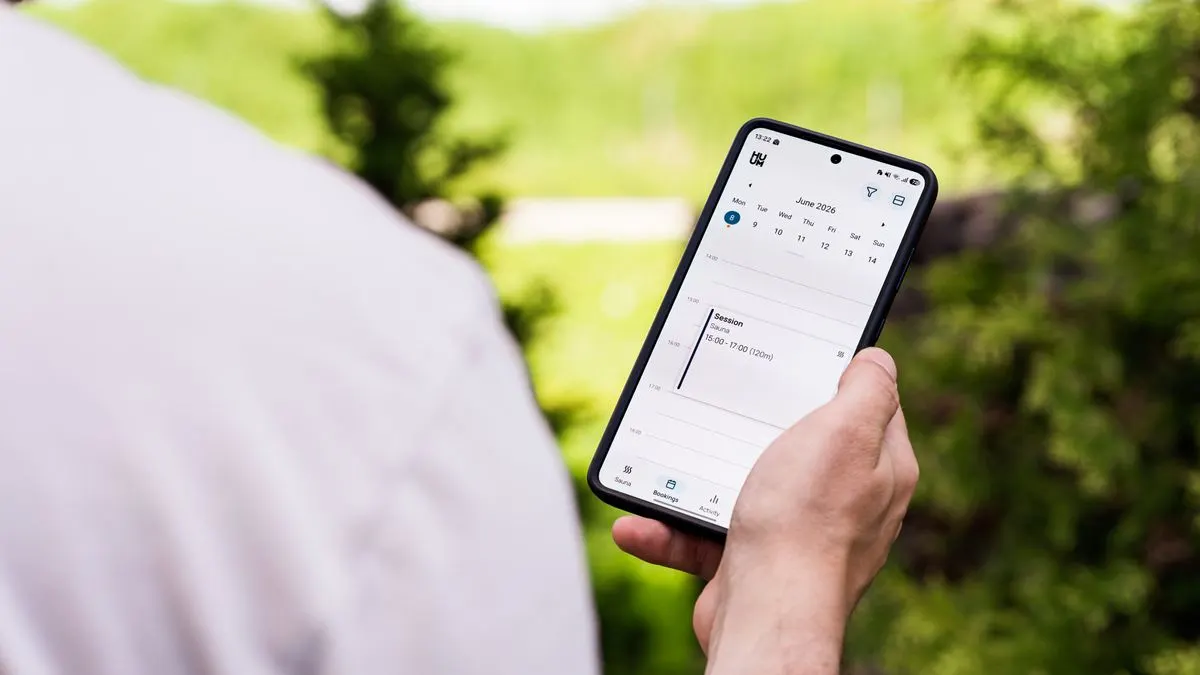
A booking system shows available times and lets customers pick one. Then comes a confirmation, often with a reminder the day before. You see the appointment in your calendar straight away.
It suits almost any business that works with appointments: hairdressers and beauty salons, driving schools, therapists, consultants, garages, photographers, installers and rental companies. It also works well for a first introduction or a trial lesson.
Broadly, there are two types. In the first, the customer picks a free slot from your calendar and the appointment is confirmed right away. In the second, the customer sends a request with a preferred time, and you confirm it afterwards. The first is faster for the customer. The second gives you more control, for example if you first want to know exactly what needs doing or how long the job will take.
The benefits of online appointment booking
- Customers book when it suits them, including outside opening hours.
- Less time on the phone and fewer back-and-forth messages.
- Fewer double bookings and forgotten appointments.
- Automatic reminders, so fewer people fail to show up.
- A clear overview of how booked up you are.
- You can ask for a deposit or payment upfront, if that suits your business.
What features does a good booking system have?
Not every system suits every business. See which of these features you really need:
- Different services, each with its own duration and price.
- Several staff members or rooms, each with their own calendar.
- Buffer time between appointments, for example for travel or tidying up.
- A connection to your existing calendar, such as Google Calendar or Outlook.
- Confirmation and reminder by email or text message.
- Customers can cancel and reschedule themselves, within your rules.
- Online payment or a deposit.
- Customer details and notes per customer.
- Works well on a phone, because that's where most people book.
- Multiple languages, if not all your customers speak Dutch.
Off-the-shelf package or custom booking system?
There are lots of off-the-shelf booking tools you rent per month. For a simple situation, like one person with a few fixed services, they're often fine. You're online quickly and the costs are clear. Prices vary a lot between providers and change regularly, so always compare the current price. Also check what happens to your customer data if you ever want to switch: can you export everything?
A custom booking system becomes interesting if:
- your way of working doesn't fit a standard tool, for example with packages, single lessons and changing locations;
- your bookings need to work with your own customer portal, CRM or scheduling;
- you don't want customers sent to another domain or a tool with a different look;
- you pay per staff member per month and that gets expensive as you grow;
- you want to keep your customers' data under your own control.
You can read more about the build-or-buy trade-off in custom software or an off-the-shelf package.
Real-world examples
A booking module doesn't have to be big to make a difference. Two examples from our work:
- At Rijschool Benz in Den Helder, you can request a trial driving lesson in 30 seconds. There are also lesson packages and a student portal, and the site is available in Dutch, English and Arabic.
You can see both projects in our work. What they have in common: the step to booking is short and clear, and sits in a fixed, highly visible place.
How to set up your online booking system properly
Even the best system works poorly if it isn't set up well. Pay attention to these points:
- Put the booking button on every page, not just on a separate page.
- Only ask for what you really need: name, phone or email and the service.
- Make clear what an appointment costs and how long it takes.
- Explain your cancellation rules briefly and in a friendly way.
- Send a reminder, so fewer people forget their appointment.
- Test booking yourself on your phone, from start to finish.
- Measure how many visitors book an appointment, so you can improve.
You're processing personal data, so state in your privacy policy what you do with it. Read how to go about that in a privacy policy for your website.
Common mistakes with online booking
Many businesses already have a booking tool but get little out of it. Usually it's down to one of these mistakes:
- The booking button leads to an external page that looks completely different from your website. Visitors then wonder if they're in the right place.
- Too few slots are open, so customers end up calling anyway.
- The form asks people to create an account before they can book.
- The confirmation doesn't arrive or ends up in spam.
- Your calendar and the booking system aren't connected, causing double bookings.
- Nobody looks at the numbers, so you don't know how many people drop out halfway.
So go through the booking process yourself every few months, as if you were a new customer. You'll quickly see where it gets stuck.
Having an online booking system built by Violexa
We build websites with a booking button and, where needed, a custom booking system as part of a web application. That can also go together with a customer portal, so customers can view and reschedule their appointments themselves. If an off-the-shelf tool is enough for you, we'll say so honestly and connect it neatly to your site.
A custom web application starts from €1,799 excl. VAT (€2,177 incl. VAT) per project. Larger projects get a fixed price upfront, in writing. Read more under web applications and software.
Want to know which appointment system suits you? Book the free quickscan: a 30-minute conversation, online or on site. Afterwards you get short written advice with a price indication, with no obligation.
Frequently asked questions
How much does an online booking system cost?
Off-the-shelf tools are rented monthly, with prices that vary a lot by provider and number of staff. A custom booking system is a one-off investment plus hosting and maintenance. At Violexa, a custom web application starts from €1,799 excl. VAT (€2,177 incl. VAT).
Can I connect an appointment system to Google Calendar?
With most systems, yes. That way you see appointments directly in your own calendar and avoid double bookings. Check that the sync works in both directions.
How do I stop customers from not showing up?
Send an automatic reminder the day before and make rescheduling easy. You can also ask for a deposit. Explain your cancellation rules clearly at the time of booking.
Is an off-the-shelf booking tool enough for my business?
For a simple situation with a few fixed services, often yes. If you work with packages or multiple locations, or want integrations with your own systems, custom usually fits better.