The photos on your website largely decide how visitors see your business. Before anyone reads a sentence, they already have an impression: professional or messy, personal or anonymous, trustworthy or not. Good photos show who you are and what you do. Bad or fake-looking photos do the opposite.
In this article you'll learn which photos you need, when to choose your own photos or stock photos, how to take better photos yourself and what to watch for with rights and size.
Why photos on your website matter so much
People buy from people. Especially with service providers, tradespeople and local businesses, customers want to know who they'll be dealing with. A photo of you, your team or your workshop answers that straight away. A photo of a smiling stock model with a headset doesn't.
- Photos build trust: visitors see there are real people behind your business.
- They show results: a finished bathroom, a neatly pruned garden, a dish.
- They make long texts lighter and easier to scan.
- They help you stand out from competitors using the same stock photos.
Which photos do you need?
You don't need hundreds of photos. For most small business websites, this is a good base:
- A portrait of you, and possibly of everyone who talks to customers.
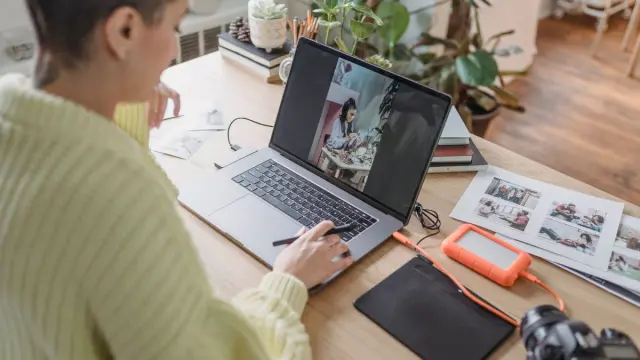
- Photos of you at work, in your own surroundings.
- Photos of your product, your results or your work, ideally before and after where it fits.
- Your location: the shopfront, the practice, the salon or the company van. Handy for customers who visit.
- One strong photo for the top of your homepage that shows at a glance what you do.
Make a list per page of your website. Then you know exactly what to photograph and avoid having to fill gaps with stock photos afterwards.
Think about the shape too. On a phone, a wide photo is often cropped. So leave some space around the most important part of the photo, so your face or product doesn't get cut off. And take a few photos with calm empty space on one side. Text or a button can go there later.
Own photos or stock photos?
Your own photos almost always win where trust matters: your homepage, about page and service pages. Stock photos are useful for atmosphere or explanation, for example in a blog post on a general topic.
If you use stock photos, choose images that look natural and suit your audience. Avoid the familiar clichés such as handshakes, people in suits pointing at a screen or over-the-top happy faces. Visitors spot them instantly.
Check the licence. 'Free' doesn't always mean you can use a photo for anything. Read the terms of the site you get it from. A photo you find through Google Images can't simply be used without the creator's permission.
Hire a photographer or take photos yourself?
A professional photographer is a good investment if your website is an important source of customers. A photographer knows how light works, helps you pose in a relaxed way and delivers a series that fits together. Ask up front what's included in the price, how many edited photos you get and whether you can also use them for social media and print.
Only plan a photo shoot once you know which pages your website will have. Give the photographer your list, noting for each photo where it goes and whether it should be landscape or portrait. That way you get images that fit exactly, instead of a lovely folder you only half use. Ideally, also plan a moment to top up the photos after a year, for example when your team or offering changes.
If you want to start yourself first, a modern phone gets you a long way. These tips help:
- Shoot in daylight, ideally next to a window. Avoid harsh midday light from above.
- Clean your lens. A greasy lens puts a haze over your photo.
- Tidy the background. Clutter stands out more in a photo than in real life.
- Hold your phone straight and shoot at eye level.
- Take several photos and pick the best. Don't use heavy filters.
- Shoot both landscape and portrait, so your photos fit on mobile and desktop.
Photos of people: get consent
If customers, staff or passers-by are recognisable in your photos, ask for consent beforehand. A recognisable face is personal data under the GDPR (AVG in Dutch). Ideally record consent in writing and agree what happens if someone later wants a photo removed. If you're unsure what is and isn't allowed, you can turn to the Dutch Data Protection Authority (Autoriteit Persoonsgegevens) or a lawyer.
Placing and resizing website photos properly
A beautiful photo can also slow your website down. Photos straight from your phone or camera are often far too large for the web. That costs loading time, especially on mobile. So watch these points:
- Resize photos to the size they're shown at. Wider than needed is pointless.
- Use modern file formats such as WebP or AVIF. They're smaller at the same quality.
- Only load photos at the bottom of the page when the visitor scrolls to them.
- Give files a clear name, such as 'bathroom-renovation-haarlem.webp' instead of 'IMG_4821.jpg'.
- Write a short alt text describing what's in the photo. That helps people using a screen reader, and Google.
Read more about making images findable in our article on images and SEO. And if your site feels slow, making your website faster will help.
Website photos: how we work with them
At Violexa we build custom websites where photos load automatically at the right size, on every screen. Through the CMS you can replace or add photos yourself, without worrying about file sizes. A custom website starts from €1,799 excl. VAT (€2,177 incl. VAT), including design, development, the SEO basics, Google Analytics, CMS integration and a walkthrough.
See our work for more examples.
Want to know how your website could look with better images? Book a free quickscan. In 30 minutes we discuss your site, online or on site, and afterwards you get short written advice with a price indication.
Frequently asked questions
Can I use photos from Google on my website?
No, not without the creator's permission. Almost all photos are protected by copyright. Use your own photos, photos from a photographer with clear agreements, or stock photos with a licence that allows business use.
What size should photos on a website be?
As large as they're shown on screen, and no larger. A wide photo at the top of a page is usually fine at around 1600 to 2000 pixels wide. Smaller photos in the text can be much smaller. Use WebP or AVIF for a small file.
Are stock photos bad for your website?
Not necessarily, but they inspire less trust than real photos. Use them mainly for atmosphere or explanation. On your most important pages, show yourself, your team and your real work instead.