
To speed up your website, start by measuring: where is the delay? It's often images that are too large, too many plugins or scripts, or slow hosting. Fix those three and a site usually loads a lot faster already.
A fast site is nicer for visitors, often brings in more enquiries and helps you get found on Google. This article explains how to test speed, what the most common causes are and which steps you can take yourself.
Why does your website's speed matter?
Visitors are impatient. If a page loads slowly, many people click back to Google and pick another result. On mobile, with a patchy connection, that effect is even stronger.
Google also measures how fast and stable your pages load. It does that with the Core Web Vitals. Speed isn't the only thing that counts for your ranking, but between two similar pages it can make the difference. In our article on Core Web Vitals we explain these measurements in detail.
How to test your website's speed
Always start with a measurement, so you know where you stand and whether your improvements work:
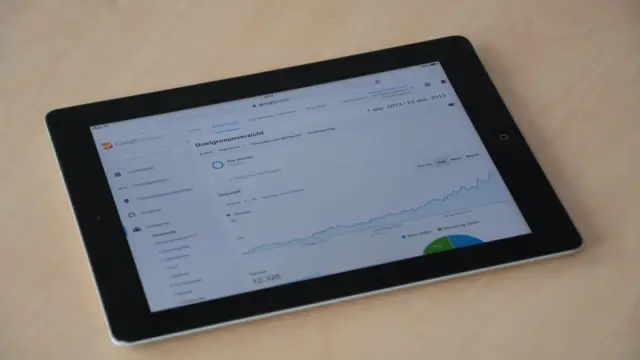
- Use Google's PageSpeed Insights. Enter your address and you get a score for mobile and desktop, plus specific things to improve.
- Look mainly at the mobile score. It's usually lower and carries a lot of weight.
- Don't just test the homepage, but also your most important service pages and your contact page.
- Open your site on your own phone using mobile data, not just wifi.
- Write down the results, so you can compare after each change.
Don't panic about a low score. A score is a tool, not a school report. Focus on the parts that take the most time.
The most common causes of a slow website
With slow sites we often see the same culprits:
- Large images uploaded straight from a camera or phone.
- Lots of plugins or scripts, for example for sliders, chat widgets, social feeds and trackers.
- A heavy theme that loads a lot of code you don't use.
- Cheap or overcrowded hosting, so the server responds slowly.
- No caching, so every page is built from scratch every time.
- Videos or embeds that are fetched as soon as the page loads.
- Lots of different fonts and font weights.
10 tips to speed up your website
These steps tackle the biggest slowdowns. Start at the top, as that's usually where the biggest gains are:
- Shrink your images. Don't make them wider than needed, and compress them before you upload them.
- Use modern image formats such as WebP or AVIF. They're smaller at the same quality.
- Load images lazily. That's called lazy loading: images further down the page only load when the visitor scrolls to them.
- Clear out plugins and scripts. Remove anything you don't really use.
- Turn on caching. The server then keeps a ready-made version of your pages.
- Choose good hosting. A fast server in or near the Netherlands often makes a big difference.
- Use a CDN if your visitors are spread out. That's a network that delivers your files from servers close to the visitor.
- Limit fonts to one or two families with a few weights.
- Only load videos when someone clicks play, with a preview image in front.
- Give images a fixed width and height, so the page doesn't jump around while loading.
Read more about choosing a good server in choosing website hosting.
What can you do yourself, and what do you leave to a developer?
Not every improvement needs technical knowledge. You can easily handle some yourself, and for others you'll need help. A handy split:
- Yourself: shrink images before uploading, switch off unused plugins, remove unnecessary widgets and pop-ups, and replace videos with an image and a link.
- Together: take a critical look at which tools, trackers and integrations really earn their keep. You know what you use, the developer knows what it costs in speed.
- Developer: set up caching, clean up code, load fonts efficiently, configure the server properly and replace a heavy theme.
Start with the do-it-yourself list and then measure again. You'll often see a difference already. If the gain is small, the delay is deeper in the technology and it's time to get someone to take a look.
Speeding up WordPress: what to look out for
Many slow sites run on WordPress. That isn't down to WordPress itself, but to how the site is built. A few extra points to watch:
- Check which theme you're using. Heavy "all-in-one" themes often load a lot of unnecessary code.
- Be critical of page builders. They're handy, but often make pages heavier.
- Keep WordPress, your theme and plugins up to date. New versions are sometimes faster, and it's more secure.
- Use one good caching plugin instead of several tools that do the same thing.
Is your site still slow despite these steps? Then the problem is often in the foundations. Read WordPress or a custom website for an honest comparison.
Mistakes to avoid
- Blindly installing an extra "speed plugin". Sometimes it actually makes things slower or causes errors.
- Only looking at the desktop score. Your visitors are often on mobile.
- Changing everything at once without measuring. Then you don't know what worked.
- Forgetting about speed after launch. Every new photo, page or widget can slow the site down again.
So speed isn't a one-off job. Include it in your regular website maintenance, so your site stays fast.
Help to speed up your website
At Violexa we build websites with speed as the starting point. We use lean technology, properly sized images and as few external scripts as possible. That way our sites meet what Google measures as well as possible from day one.
Do you have an existing site that's slow? Then we first look at what's wrong. Sometimes cleaning up is enough, sometimes a new foundation is smarter. A custom website starts from €1,799 excl. VAT (€2,177 incl. VAT) per project. Read more about our approach under websites and apps.
Want to know why your site is slow? Request a free quickscan. In 30 minutes, online or on site, we look at your situation. Afterwards you get short written advice with a price indication, with no obligation.
Frequently asked questions
How fast should a website load?
As fast as possible, but Google gives a clear guideline. The largest visible element on the page should load within 2.5 seconds. That's called Largest Contentful Paint and it's one of the Core Web Vitals.
Why is my website so slow on mobile?
Phones often have a slower connection and less processing power than a laptop. So you notice large images, lots of scripts and heavy themes there first. Start by shrinking images and removing unnecessary plugins.
How can I test my website's loading speed?
Use Google's PageSpeed Insights. You get a score for mobile and desktop and a list of things to improve. Test your most important pages too, not just the homepage.
Will better hosting speed up my website?
Often, yes, especially if you're currently on a cheap plan shared with lots of other sites. But hosting doesn't fix oversized images or unnecessary scripts. So tackle those too.