To increase website conversion means getting more visitors to do what you want, such as requesting a quote, calling, booking or buying. That is often cheaper than attracting more visitors. If twice as many people send an enquiry, you double your results without spending more on ads.
Conversion rate optimisation sounds technical, but it comes down to one question: what is holding visitors back? In this article you will read how to find out, and which changes usually deliver the most.
What is conversion and how do you measure it?
A conversion is an action that has value for your business. The conversion rate is the number of conversions divided by the number of visits. If 1,000 visitors come and 20 send an enquiry, that is 2 per cent.
What counts as a good rate varies a lot by sector and type of action. Signing up for a newsletter is easier than requesting a quote for a renovation. So compare yourself mainly with your own figures from last month.
Without measuring, you don't know whether a change works. In Google Analytics 4, set up which actions count: form submitted, click on the phone number, click on WhatsApp, appointment booked. Read how to do that in measuring conversions.
Look first: where do visitors drop off?
Don't guess. First look at where things go wrong. You can do that with simple means:
- Check in Analytics which pages get lots of visits but few actions.
- See which pages people leave most often. There is often a problem there.
- Send an enquiry yourself on your phone. How long does it take? Where do you hesitate?
- Ask someone who doesn't know your site to complete a task, and watch without helping.
- Ask new customers why they chose you, and what almost stopped them.
You will usually find three or four clear bottlenecks within an hour. Start with those on the pages with the most traffic.
Ten ways to increase your website conversion
These are the changes that often make the biggest difference in practice:
- Say straight away what you do and for whom. At the top of every page, visitors should understand within a few seconds whether they are in the right place.
- One clear main action per page. A button with concrete text, such as 'Request a quote', works better than 'More info'.
- Make the button visible. A fixed colour that isn't used anywhere else on the site helps.
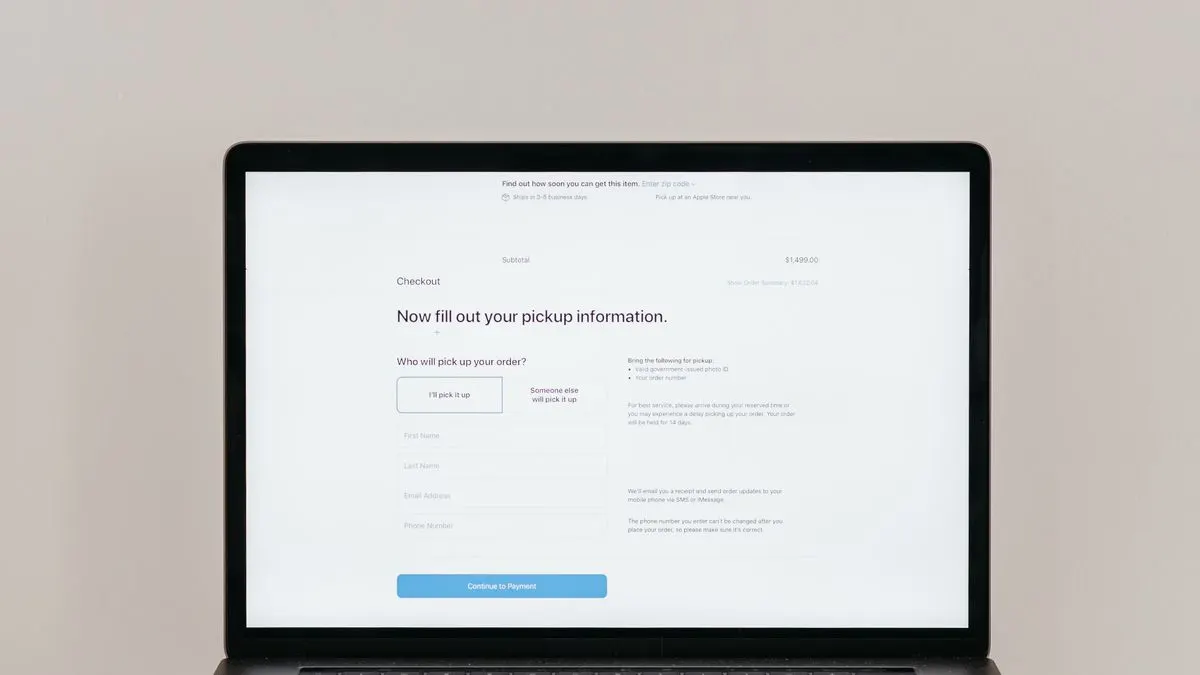
- Shorten your form. Only ask for what you really need for the first step.
- Show proof: real Google reviews, photos of real work, accreditations you actually have.
- Give a price or price indication. Uncertainty about cost is a common reason to drop off.
- Remove doubts with short answers to frequently asked questions, close to the button.
- Make sure the site loads fast, especially on mobile. Waiting costs you visitors.
- Make calling and WhatsApp easy with one tap on a phone.
- Explain what happens after the enquiry: who will get in touch and within what time.
Trust: the foundation of every conversion
A visitor who doesn't know you takes a risk when getting in touch. They give you their details and their time. The more trust your site builds, the smaller that step feels. You don't build trust with big words, but with proof and clarity.
- Show who is behind the business, with a real photo and a name.
- Show your address, Chamber of Commerce (KvK) number and contact details in a fixed place.
- Use real photos of your work instead of generic stock photos.
- Post reviews with name and date, preferably straight from Google.
- Explain in a few steps how working with you goes.
That last one is often underestimated. When someone knows what happens after the first click, that click feels much less daunting. A short explanation in three or four steps is enough.
Increasing conversion on mobile
Many visitors come via their phone. Yet websites are often designed and checked on a big screen. On mobile, things go wrong more easily: a button that falls off screen, a form where the keyboard covers fields, a pop-up you can't close.
- Put the most important button within reach of your thumb.
- Use the right keyboard: numbers for a phone number, @ for email.
- Keep copy short and use subheadings.
- Test on an ordinary phone, not just the latest model.
Forms and landing pages that work
The form is often the last obstacle. Every extra field is a reason to stop. Ask for name, phone or email and a short description. Ask the rest in the conversation. More tips are in a contact form that converts.
If you advertise, don't send traffic to your homepage. A separate page with one message and one action usually converts better. See creating a landing page.
Testing and improving: how to keep it going
Conversion optimisation is not a one-off job. Change one thing at a time and look after a few weeks at what it did. If you have lots of traffic, you can test two versions at once with an A/B test. With little traffic that takes too long, and you are better off using common sense and customer feedback.
Keep a simple log: what did you change and when, and what did you see in your figures afterwards? In a few months you build up knowledge of what convinces your visitors. You then use that knowledge for new pages and ads.
Common mistakes to avoid:
- Changing everything at once, so you don't know what worked.
- Drawing conclusions too early, after a few days.
- Only looking at visitor numbers and not at enquiries.
- Pushy pop-ups that cause more irritation than enquiries.
Help with increasing your conversion
At Violexa we combine websites and online marketing. We look at your figures, your pages and your forms, and improve what delivers the most. At WitFix, for example, real Google reviews are on the site, you can find the right service directly per device and location, and there is a quote form. You can see choices like these in our work.
Online marketing starts from €599 excl. VAT (€725 incl. VAT) per month, with no minimum term and cancellable monthly with one month's notice. Read more under online marketing.
Want to know where your site is losing visitors? Book the free quickscan: 30 minutes, online or on location, followed by short written advice and a price indication.
Frequently asked questions
What is a good conversion rate for a website?
It varies a lot by sector and type of action. A newsletter sign-up is easier than a quote request. Mainly compare yourself with your own figures and work on improving them.
How can I increase my website conversion without more visitors?
First look at where visitors drop off. Then make your message clearer, your button more visible and your form shorter. Also show real reviews and a price indication.
How long does it take to see results?
You can often judge small changes within a few weeks. With little traffic it takes longer to get a reliable picture. So change one thing at a time.
What is a call to action?
A call to action is the button or line that asks the visitor to do something, such as 'Request a quote' or 'Book an appointment'. The more concrete the text, the better it usually works.