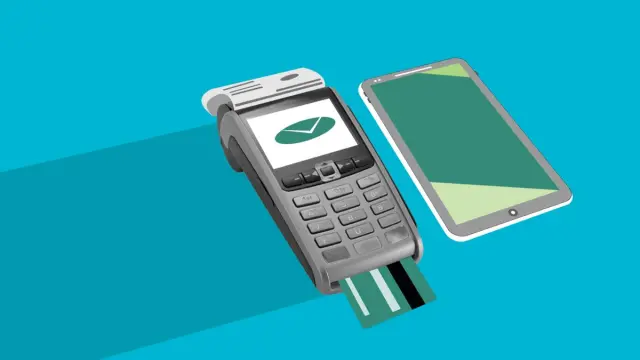
In-app payments are almost always handled through a payment provider. It processes iDEAL, credit cards, Apple Pay and Google Pay for you, so you don't have to store any bank details yourself. If you sell digital products inside the app, such as a subscription or extra features, Apple's and Google's rules apply as well.
That difference is the most important thing to understand before you start. It determines which payment methods you're allowed to use and which costs you pay. In this article you'll learn the options, the rules and where a payment flow in an app often goes wrong.
Physical or digital products: why it matters
Apple and Google distinguish between two kinds of purchase in an app.
- Physical products and services outside the app: a meal, a product from your webshop, a driving lesson, a hairdresser's appointment. For these you can use a regular payment provider, with iDEAL, credit card or Apple Pay.
- Digital products used in the app: a premium subscription, extra features, digital content or coins in a game. For these, Apple and Google usually require you to use their own in-app purchase system. They then keep a commission.
The rules around digital purchases are changing. In the EU especially, new options have appeared in recent years to use alternative payment methods, with their own conditions. So always check Apple's and Google's current guidelines before you choose. For most SME apps, which sell physical products or services, this doesn't apply.
Which payment methods should your app offer?
Choose the methods your customers already use. In the Netherlands that almost always means:
- iDEAL: the best-known way to pay online in the Netherlands. The customer completes the payment in their banking app.
- Apple Pay and Google Pay: paying with the card already stored on the phone. Fast, because the customer doesn't have to type anything.
- Credit card: important if you also have customers from abroad.
- Buy now, pay later or paying on invoice: sometimes useful for business customers, but watch the extra costs and conditions.
More methods isn't always better. A long list slows down the choice. Start with the two or three your customers use most.
Choosing a payment provider for in-app payments
A payment provider is the company that processes the payment and sends the money to your account. Well-known providers include Mollie, Stripe and Adyen. What should you look for when choosing?
- Does the provider support the methods you want, and does that work well on mobile?
- Are there ready-made components for apps, so the developer has less to build themselves?
- How are the costs structured: per transaction, per method or with fixed monthly fees? Compare based on your number of orders. Rates change, so check the current price.
- How quickly does the money reach your account?
- Can you easily handle refunds and subscriptions?
- Already have a provider for your website? Then using the same one for your app is usually easiest.
Connecting a payment provider to your software works largely the same in an app as on a website. Our article on integrating online payments goes into more depth.
How to make in-app payments fast and secure
A payment in an app should be done in a few taps. Every extra step loses customers. At the same time, you want to prevent fraud and errors. These points help:
- Let the customer save their details, so they don't have to fill anything in again next time they order.
- Show the total price, including delivery charges or surcharges, before the customer taps pay.
- Never store card details yourself. Leave that to the payment provider.
- Only confirm the order once the payment provider says the payment succeeded, not just based on what the app sees.
- Handle a cancelled payment gracefully. When the customer comes back from the banking app, they should see exactly what the status is.
- Send a confirmation by email or push notification straight away.
Within the EU, strong customer authentication applies to online payments. That means for many payments the customer has to confirm again, for example through their banking app or with a fingerprint. Your payment provider handles this, but your app has to make the step run smoothly.
Subscriptions and recurring payments
Want customers to pay monthly, for example for a membership or a lesson package? Then the question again is: is it a digital service in the app, or a service outside it? A subscription to premium features in the app usually runs through Apple and Google. A gym membership or a regular cleaning contract can go through your own payment provider, with a direct debit or a saved card.
In that case, make cancelling just as easy as signing up. It's customer-friendly and prevents complaints and negative reviews.
An example: ordering and paying in one flow
For Apple Mix Fried Chicken in Den Helder we built a custom online ordering platform. Customers choose from a menu with 18 categories, see labels for diets and allergens, and have a basket that takes delivery charges and the minimum order amount into account. It also shows live whether the shop is open right now. Details like these stop a customer from discovering only at checkout that something isn't possible. See more projects in our work.
Common mistakes with in-app payments
- Selling digital products through your own provider when the app stores don't allow it. Your app can then be rejected.
- Sending the customer to a website to pay, without them returning to the app properly afterwards.
- No clear error message when a payment fails.
- Only showing costs at the very last moment.
- Forgetting refunds and cancellations in the design.
Having in-app payments built by Violexa
At Violexa we build apps and web applications in which ordering and paying work smoothly together. We help you choose between a payment provider and Apple's and Google's systems, and connect the payments to your bookkeeping if you want. Read more about having apps and websites built. A custom project starts from €1,799 excl. VAT (€2,177 incl. VAT). Larger projects get a fixed price in writing up front.
Want to know how payments would work best in your app? Book a free quickscan. In 30 minutes we discuss your plans, online or at your location. Afterwards you get short written advice with a price indication, with no obligation.
Frequently asked questions
Can I use iDEAL in my app?
Yes, through a payment provider that supports iDEAL. The customer completes the payment in their banking app and then returns to your app. This works for physical products and services. For digital products in the app, Apple's and Google's rules apply.
Do in-app payments always have to go through Apple or Google?
No. Their own payment systems usually only apply to digital products and features used in the app. If you sell meals, products or appointments, you can use your own payment provider. The rules change, so check the current guidelines.
What does a payment feature in an app cost?
You have costs for building the payment flow and ongoing transaction fees with your payment provider. For digital purchases through Apple or Google, they keep a commission. Compare rates based on your number of orders, as they differ per provider and method.
Is it safe to pay in an app?
Yes, if the app uses a recognised payment provider and doesn't store card details itself. The payment provider handles security and the extra confirmation required in the EU. Have the app confirm the order only once the provider has approved the payment.