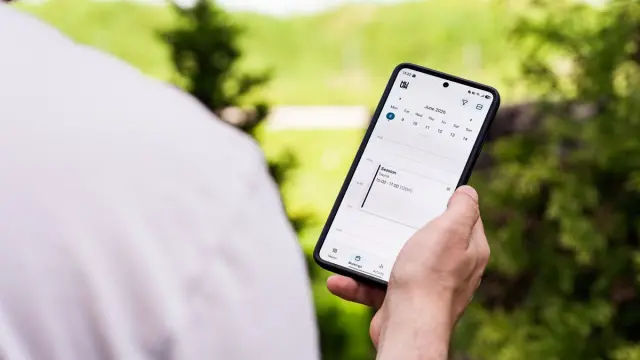

An AI phone assistant is software that answers the phone, talks to the caller in everyday language and does something with the call: answer a question, book an appointment or set up a callback request. It's also called a voicebot or AI receptionist. For business owners who often have their hands full, or who get calls outside office hours, it can mean far fewer missed customers.
But a voicebot isn't the right step for every business. In this article you'll read how it works, where it helps, where it disappoints and how to set it up properly.
How does an AI phone assistant work?
Behind the scenes, three things happen in very quick succession:
- Speech to text: what the caller says is turned into text.
- Understanding and replying: a language model works out what the caller wants and chooses a reply or action, based on the information you've set up.
- Text to speech: the reply is spoken in a natural voice.
The difference from an old-fashioned phone menu ('press 1 for…') is that callers can simply say what they need. A good voicebot can also be connected to your calendar, CRM or email. So it doesn't stop at talking; something actually happens.
What do you use a voicebot for?
An AI phone assistant works best for calls that come up often and have a clear goal. Think of:
- Being reachable outside opening hours or while you're on a job.
- Booking, rescheduling or confirming appointments, connected to your calendar.
- Frequently asked questions about opening hours, prices, delivery times or your service area.
- Taking down an enquiry: name, address, what the problem is, and emailing it to you as a neat summary.
- Putting callers through to the right person when it's urgent.
An installation company, for example, can have fault reports taken down in the evening and have everything lined up the next morning. A salon can have appointments booked while the owner is with a client.
Pros and cons of an AI receptionist
Weigh up the pluses and minuses honestly before you start:
- Pro: you're reachable day and night, even when you can't pick up yourself.
- Pro: every call is recorded as a summary, so no notes get lost.
- Pro: you're interrupted less often while you work.
- Con: some callers find talking to a computer unpleasant and hang up.
- Con: dialects, background noise or poor connections can lead to misunderstandings.
- Con: setting it up and keeping it current takes time. If your prices or hours change, the assistant needs to know too.
When is an AI receptionist not a good idea?
Not every call lends itself to AI. Be careful with:
- Sensitive calls, such as medical concerns, complaints or bad news.
- Complicated questions that need tailored answers and judgement.
- Customers who deliberately choose personal contact, such as at a small advisory practice.
- Situations where a wrong answer has serious consequences, such as emergencies.
Always provide a way out: callers must be able to ask for a person, or leave a callback request. A voicebot that keeps people going round in circles will actually cost you customers. Want to look more broadly at AI in your customer contact first? Read AI customer service.
How to set up an AI phone assistant properly
- Step 1: listen to your own phone. For a week, note why people call. Those are your main scenarios.
- Step 2: choose a few scenarios to start with, for example appointments and frequently asked questions.
- Step 3: write down the information the assistant may use: opening hours, services, prices, service area. Only what's accurate.
- Step 4: decide when calls are put through or a callback request is created.
- Step 5: connect the assistant to your calendar, email or CRM, so every call ends up somewhere.
- Step 6: call it dozens of times yourself as a 'difficult customer' and improve the instructions.
- Step 7: in the first weeks, read back the summaries or transcripts and fine-tune.
Have the assistant say at the start of the call that the caller is speaking to a digital assistant. That's honest and prevents irritation. The EU AI Act also requires people to know when they're talking to an AI system. Read more about the rules in the EU AI Act for small businesses.
Privacy: calls, recordings and the GDPR
A voicebot processes voices and often names, addresses and phone numbers too. That's personal data. A few points to watch:
- Tell callers that the call is being processed or recorded, and why.
- Don't keep recordings and transcripts longer than necessary.
- Choose a supplier who is clear about where the data is stored and sign a data processing agreement.
- Mention it in your privacy statement.
We don't give legal advice. For the details, ask a lawyer or the Dutch Data Protection Authority (Autoriteit Persoonsgegevens). Background is in our article on AI and the GDPR (AVG in Dutch).
How much does a voicebot cost?
There are ready-made services where you pay per month or per call minute. Prices vary widely and change often, so compare the current rates yourself. The biggest costs usually aren't in the bot itself, but in setting it up properly: the scenarios, the scripts, the integrations with your calendar and systems, and the testing.
A standard service is often enough if you only want to answer questions or take messages. Custom work becomes interesting when the assistant really needs to work with your own scheduling, CRM or online booking system.
Having an AI phone assistant built by Violexa
We help business owners across the Netherlands with AI & automation, from Amsterdam. We first check whether a voicebot really pays off, or whether a smarter callback form on your site is already enough. If we go for a voicebot, we set it up with your information and connect it to your systems. A project like this starts from €1,799 excl. VAT (€2,177 incl. VAT), one-off. For larger projects you get a fixed price in writing upfront.
Want to know whether it suits your business? Request a free quickscan. In 30 minutes, online or on site, we discuss how your phone calls are handled now. Afterwards you get short written advice with a price estimate. You're not tied to anything.
Frequently asked questions
What exactly is a voicebot?
A voicebot is a digital assistant that talks to callers over the phone in everyday language. It turns speech into text, uses AI to come up with a reply and speaks it. Often it can also book appointments or pass on a message.
Do callers notice they're talking to an AI phone assistant?
Modern voices sound natural, but you can often still tell. So just say so at the start of the call. That's honest, and the EU AI Act also requires people to know when they're talking to AI.
Can an AI receptionist put appointments in my calendar?
Yes, if it's connected to your calendar or booking system. It can then suggest available times, book an appointment and send a confirmation. Without an integration it can only pass on a request.
Can you record phone calls with AI?
Under certain conditions, because you're processing personal data. Tell callers what you're doing and why, don't keep anything longer than necessary and make arrangements with your supplier. For legal advice, ask a lawyer or the Dutch Data Protection Authority (Autoriteit Persoonsgegevens).