Using AI images for business can work well, as long as you know what for. For a blog visual, a social post or an illustration with an explanation, AI is quick and cheap. For your team photo, your products or your premises, it's usually not a good idea. That's where customers expect real images.
In this article you'll read where AI images work well, where they cost you credibility, what to watch out for with rights and rules, and how to make better images in a few simple steps.
What exactly are AI images?
An AI image generator creates an image based on a description in plain language. That description is called a prompt. You type, for example, 'bright workshop with a bicycle on a stand, soft morning sun' and within a few seconds you get a few variations. Well-known tools include the image features in ChatGPT, Midjourney, Adobe Firefly and the AI in Canva.
The model has learned from a huge number of existing images. So it doesn't take a photo of something that really exists; it creates a new image that resembles what you describe. That explains both its strengths and its weaknesses.
Many tools have a free version with a limited number of images per day. Paid subscriptions are often between €10 and €30 a month (indicative, check the current price). That's cheaper than a photo shoot, but it also gives you something different: an image of an idea, not proof of what you really do.
What can you use AI images for in your business?
AI images work best when they explain something or set a mood, and don't pretend to show a real situation. Good uses are:
- Illustrations for blogs and how-to articles, for example an abstract image with an explanation about scheduling.
- Backgrounds and mood images for social media or a newsletter.
- Sketches and mood boards to show an idea to a client or designer.
- Icons or simple drawings in a consistent style.
- A quick first version of an ad image, to test which direction lands.
When are real photos the better choice?
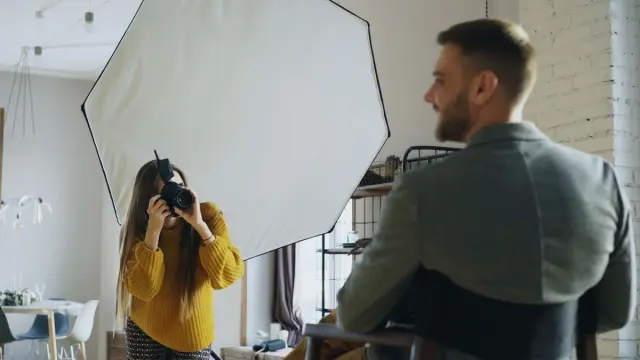
Customers want to know who they're doing business with. A fake team photo or an AI image of a product that looks different in real life feels like deception as soon as someone notices. And people notice more and more often. So use real photos for:
- Yourself and your team, on the about page and in your profiles.
- Your products, dishes or the results of your work.
- Your location, shop or workshop.
- Before-and-after images, case studies and references.
- Anything where a customer buys or books something based on the image.
A good middle ground: use real photos for who you are and what you deliver, and AI for supporting images. More tips on images that build trust are in photos on your website.
Can you use AI images commercially?
That depends first on the tool's terms. Some tools allow commercial use with a paid subscription, others have restrictions. So read the terms of use before you put an image in an ad or on your packaging.
On top of that, the question of who owns an AI image isn't legally settled everywhere yet. You may not hold copyright on it yourself, which means someone else may use the same image. A few rules of thumb to limit the risk:
- Don't ask for an image 'in the style of' a well-known artist or brand.
- Don't have existing logos, brands or recognisable people recreated.
- Don't use an AI image as the core of your logo or brand identity. That's exactly where you want clear rights.
- Keep a record of which tool and prompt you used, so you can show later how an image was made.
The EU AI Act also contains transparency rules for AI-generated content, especially for images that imitate real people or events. We don't give legal advice. If you're unsure about rights or rules, ask a lawyer. An overview of the AI law for businesses is in the EU AI Act for small businesses.
How to make better AI images for your business
- Describe the subject, setting, light and style. 'Bright, calm photo of a desk with plants, soft daylight' works better than 'office'.
- Pick one consistent style and stick to it, so your images match each other and your branding.
- Specify the format: landscape for a blog, square or portrait for social media.
- Create several variations and pick the best. The first is rarely the right one.
- Check the details: hands, text in the image, logos and faces still often go wrong.
- Don't put text in the image itself. Add text later in a design tool, so it's sharp and spelled correctly.
AI images on your website: speed and findability
AI tools often deliver large files. Put them on your site as they are and your page gets slow. Visitors notice, and so does Google. So resize the image to the size you actually need and save it in a light format such as WebP.
Give every image a good file name and alt text as well: a short description of what's shown. That helps people using a screen reader and it helps search engines. You can read how to do this in image SEO.
How Violexa handles images and AI
For the websites we build, we almost always recommend real photos for the most important pages. We use AI where it adds something, such as for illustrations or as a quick concept. If you want to use AI more widely in your work, we look at which tasks you can hand over to smart software through AI & automation. Every website we build through websites and apps is delivered with a design that works on every screen and with the SEO basics in place, including light images and alt text. A custom website starts from €1,799 excl. VAT (€2,177 incl. VAT).
Want to know how to use AI smartly in your marketing or on your website? Request a free quickscan. In 30 minutes, online or on site, we discuss what suits your business. Afterwards you get short written advice with a price estimate, with no obligation.
Frequently asked questions
Can I use AI images on my website?
Usually yes, if your tool's terms allow commercial use. Always check those terms, especially for free versions. Preferably use AI images for illustrations and mood, and real photos for your team and products.
Do I own the copyright on an AI image?
That isn't legally settled everywhere yet. There may be no copyright on it at all, which means others can use the image too. So don't use AI images for your logo, and ask a lawyer for advice if in doubt.
Can Google tell that an image was made with AI?
Google mainly judges whether an image fits the page and whether the page helps visitors. What counts is a good file name, clear alt text and a light file. An image that clearly looks fake can cost you visitors' trust, though.
Which tool is good for business AI images?
Many business owners use the image features in ChatGPT, Canva, Adobe Firefly or Midjourney. Choose a tool whose terms allow business use and that fits how you already work. Try one properly before looking further.