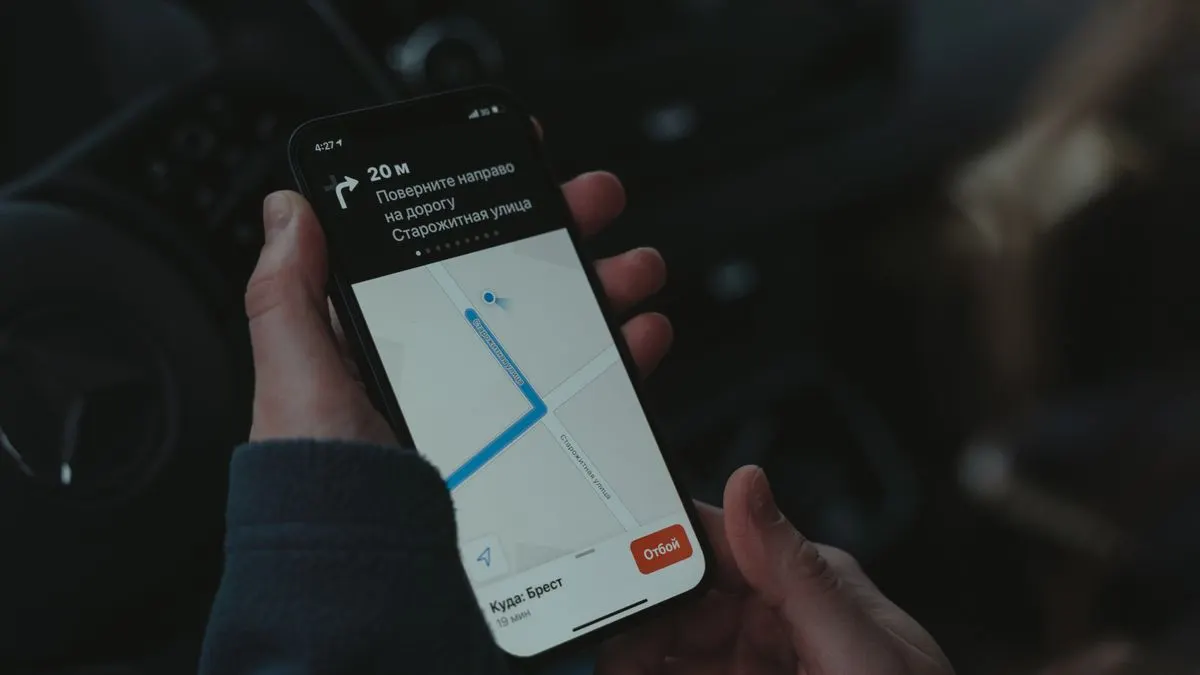
You use location and GPS in an app to show where someone is, what's nearby, or where an employee or order is. Almost every smartphone can do this. But the user has to give permission first, and you need to think carefully about privacy, accuracy and battery use.
In this article you'll read what you can do with location in an app, how permission works on iPhone and Android, which rules apply and when it's better not to use location at all.
What can you do with location in an app?
A few examples we often see at small and medium-sized businesses:
- Show the nearest branch or service provider, with directions and opening hours.
- Fill in an address automatically for an order or appointment, so the customer has less to type.
- Show live where a delivery driver, engineer or driver is, so the customer knows when they'll arrive.
- Let field staff check in at a location, for example at a job or a cleaning address.
- Log mileage or trips for your bookkeeping.
- Send a notification when someone enters a certain area. This is called geofencing.
A website can also ask for your location, but only while the page is open. If you want to use location in the background, for trips or geofencing for example, you need a native app. Read more about that choice in native app or web app.
How does GPS in an app work?
A phone works out its location from a mix of sources: GPS satellites, nearby Wi-Fi networks and mobile masts. Outdoors, GPS is usually accurate to within a few metres. Indoors, in a car park or between tall buildings, it's less precise. The phone then fills the gaps with Wi-Fi and mobile masts.
As the app builder, you choose how accurate the location needs to be. If you want to know which city someone is in, a rough location is enough. If you want to follow a delivery driver on a map, you need a precise location. The more precise and the more often, the more battery it uses.
Geofencing works a little differently. You draw a virtual fence around a place, such as your shop or a work site. The phone's operating system keeps track of whether the user enters or leaves that area, and then gives your app a signal. That's more efficient than asking for the location all the time, but it does need permission for background location.
Location permission on iPhone and Android
An app may only use location once the user gives permission. Both iOS and Android give the user choices:
- Allow once: the app only gets access this time.
- While using the app: the app only sees the location when it's open.
- Always: the app may also use the location in the background. The systems and the app stores are strictest about this one.
- Precise or approximate: the user can choose to share only a rough location.
Ask for permission at the moment the user understands why. So not as soon as the app opens, but when they tap 'find a branch nearby'. Explain in one sentence what they gain. And make sure the app still works if they say no, for example by letting them enter a postcode.
If you want to use location in the background, you need to justify it well to Apple and Google. An app that always tracks location without a clear reason can be rejected. Read more about the review process in our article on getting your app into the App Store and Google Play.
Location data, privacy and the GDPR
Location data is personal data. It says a lot about someone: where they live, where they work and what they do. Under the GDPR (AVG in Dutch) you have to handle it with care. A few principles:
- Only collect the location you really need, and no more often than necessary.
- Don't keep location data longer than needed. You usually don't need last year's delivery route.
- Explain in your privacy statement why you use location and what you do with it.
- Don't share location data with other parties without a good reason.
- Tracking your employees? Then extra rules apply. Agree when location is and isn't tracked, for example only during working hours, and consult your works council where needed.
This is not legal advice. For questions about your situation, talk to a lawyer or the Dutch Data Protection Authority (Autoriteit Persoonsgegevens). You'll find general tips on privacy in apps in apps and privacy.
Battery, accuracy and other practical points
- Battery: using GPS continuously drains a lot of power. Only request the location as often as needed, and where possible use the power-saving methods iOS and Android offer for larger movements.
- Indoors and underground: expect a less accurate location. Let the user adjust their location manually.
- Maps: for maps and routes you usually use a map service. These often charge per number of loads. Check the current price with the provider.
- No signal: store locations temporarily and send them on once there's a connection again.
- Testing: test outdoors, indoors, in the car, and with a full and an almost empty battery.
When is it better not to use location?
Location isn't always an improvement. Don't use it when:
- A postcode or town name works just as well and is less sensitive for privacy.
- You only want the location 'for later', without a clear purpose.
- The permission request scares users off at the first step of your app.
WitFix shows you can use location well without GPS too. On the website, visitors find the right service by choosing their device and town, and there are pages per service area for local search. See more projects in our work.
Have Violexa build location into your app
At Violexa we build apps where location has a clear purpose: from a branch finder to a live map for your delivery drivers or engineers. We think ahead with you about permission, privacy and battery use. Read more about having apps and websites built. A custom app or web application starts from €1,799 excl. VAT (€2,177 incl. VAT) per project.
Want to know whether location makes sense in your app? Book a free quickscan. In 30 minutes, online or on site, we discuss your idea. Afterwards you get short written advice with a price indication, with no obligation.
Frequently asked questions
How do you use location and GPS in an app?
The app asks the user for permission and then uses the location features of iOS or Android. You choose how accurate the location needs to be and how often you need it. Only ask for permission when the user understands why.
Can an app track my location when it's closed?
Only if you give the app permission to always use your location. Apple and Google are strict about this and ask app makers for a clear reason. You can always withdraw that permission in your phone's settings.
Can I track my employees' location through an app?
It's possible under conditions, because location data is personal data under the GDPR. You need a good reason, you track no more than necessary and employees must know what you record. If in doubt, get advice from a lawyer or check the Dutch Data Protection Authority.
Does GPS in an app use a lot of battery?
Requesting a precise location continuously uses a lot of power. A well-built app only asks for the location when needed and uses power-saving methods for larger movements. That keeps battery use limited.