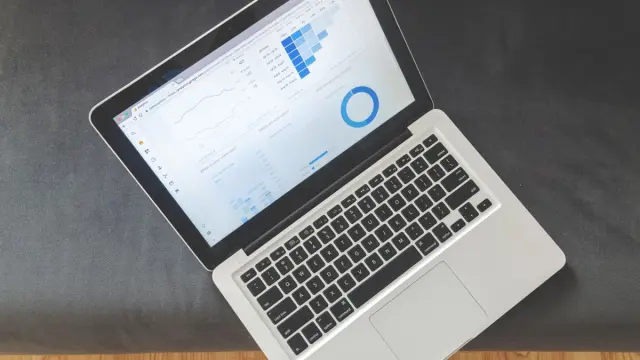

Cookieless analytics measures how many people visit your website, which pages they read and where they come from, without tracking your visitors or sharing personal data with big tech companies. Often you don't need consent through a cookie banner for it.
That's attractive. With a regular cookie banner, some of your visitors click reject, and then you don't see those people in your numbers. In this article you'll read how cookieless analytics works, what you can and can't measure with it, and who it's a good choice for.
What exactly is cookieless analytics?
A cookie is a small file a website places in your browser. Regular analytics tools use cookies to recognise a visitor on their next visit. That's how they see that the same person came by three times.
Cookieless analytics doesn't do that. The tool counts page views and visits, but stores nothing in the browser. To avoid counting someone twice on the same day, some tools use a temporary, encrypted code that's thrown away every day. So you see trends and totals, but no individual visitors.
Why choose privacy-friendly analytics?
- Your numbers are more complete, because you don't depend on who clicks accept.
- Your website looks calmer, with no cookie banner or a smaller one.
- Your visitors aren't tracked across other websites.
- The data often stays in Europe, which makes it easier to comply with the GDPR (AVG in Dutch).
- The dashboard is usually much simpler than Google Analytics 4. You see what you need to know on one screen.
Do you really not need a cookie banner?
That depends on your whole website, not just your analytics. If you also use embedded YouTube videos, an advertising pixel or a chat widget that sets cookies, you still need consent for those parts. So cookieless analytics removes one reason for a banner, not automatically all of them.
Even with analytics without cookies you sometimes process data, such as an IP address that's used briefly. So state in your privacy statement which tool you use and what happens to the data. We don't give legal advice. If you're unsure about your situation, check the Dutch Data Protection Authority (Autoriteit Persoonsgegevens) or ask a lawyer. More background is in our article on cookie banners and GDPR rules.
Well-known cookieless analytics tools
There are several tools that can measure without cookies. A few well-known names, though this isn't a complete list:
- Plausible: light script, simple dashboard, European hosting. Paid monthly, depending on the number of visits.
- Fathom: similar idea, simple and fast. Also paid.
- Simple Analytics: European, focused on privacy and simplicity.
- Matomo: more extensive, can run on your own server and can be configured not to use cookies.
As an indication, the paid services often cost between ten and a few tens of euros a month for a small website. Check the current price, as it changes regularly. Matomo on your own server is free software, but you then pay for hosting and maintenance.
What can you measure, and what can't you?
Cookieless analytics is good at the big picture. It's less suited to in-depth analysis of customer behaviour. This is usually the difference:
- Yes: number of visitors and page views, popular pages, sources such as Google or social media, country and device, and goals such as a submitted form.
- Less well: returning visitors over several days, the full customer journey over weeks, and connections with advertising platforms.
- No: data for remarketing, where you show people ads later on.
Do you advertise heavily with Google Ads and want to know exactly which ad leads to a customer? Then you often still need Google Analytics 4 with consent. In that case, read our articles on Google Analytics 4 and conversion tracking.
How to switch to analytics without cookies
- First decide what you want to know. Usually that's three or four questions, such as: how many enquiries come in, and through which page?
- Choose a tool that fits those questions and your budget.
- Add the script to your website, or have your web developer do it.
- Set up goals for the actions that matter, such as a submitted contact form or a click on your phone number.
- Run the old tool alongside the new one for a few weeks if you want to compare numbers.
- Update your cookie banner and privacy statement.
An example. An installation company wants to know how many quote requests come in each month, through which service page, and whether visitors mainly come from Google or social media. A cookieless tool with two or three goals is more than enough for that. An online shop that adjusts its ads daily usually needs more detail.
Common mistakes
- Thinking the cookie banner can go, while there are still other cookies on the site.
- Not setting up goals, so you only see visitor numbers and not what they deliver.
- Comparing numbers one-to-one with your old tool. Every tool counts slightly differently.
- Loading the script twice, for example through a plugin and manually, so you count everything twice.
- Counting your own visits. Exclude your own devices or office network where the tool allows it.
- Never looking at the numbers. Set a fixed moment once a month to check your dashboard.
Measuring isn't a goal in itself. Use your numbers to make choices: which page deserves better copy, which source brings in enquiries, and where do visitors drop off? A light tool you actually look at is worth more than a heavy tool nobody opens. A light script has another advantage: it barely slows your website down. That's good for your visitors and for Google.
Help with tracking and online marketing
For every website we build, we set up the basics for measuring properly. If you want to go further, we help with online marketing: SEO, Google Ads and social media, with numbers you can actually use. Online marketing starts from €599 excl. VAT (€725 incl. VAT) per month, with no minimum term.
Want to know which way of measuring suits your website? Book a free quickscan. In a 30-minute conversation, online or on site, we take a look with you. Afterwards you get short written advice with a price estimate, with no obligation.
Frequently asked questions
What is the best cookieless alternative to Google Analytics?
That depends on what you want to measure. Plausible, Fathom and Simple Analytics are simple and light. Matomo is more extensive and can run on your own server. Choose the tool that answers your questions, not the one with the most features.
Is privacy-friendly cookieless analytics GDPR compliant?
It makes complying with the GDPR easier, but it isn't a guarantee. It depends on how you configure the tool and what else is on your site. For certainty about your situation, you can consult a lawyer.
Can I track conversions without cookies?
Yes, most cookieless tools can measure goals, such as a submitted form or a click on a button. What's harder is following a customer across several visits and days.