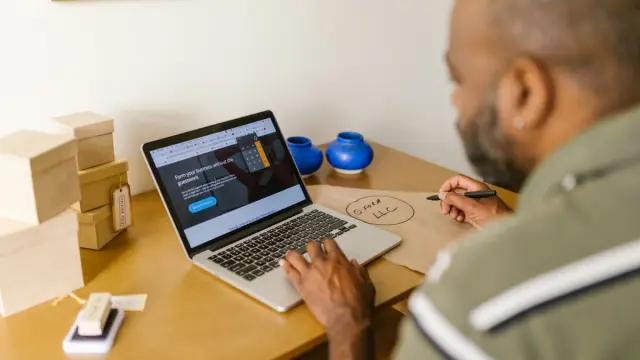

AI for freelancers is especially useful for the work you don't get paid for: answering emails, drafting quotes, keeping your admin up to date and coming up with content for your website or LinkedIn. As a freelancer (zzp'er in Dutch), you do everything yourself. Every hour AI saves you can go to clients or simply to free time.
You don't need a team or a big budget. With a few good habits and one or two tools, you'll get a long way. In this article you'll read where AI really helps a one-person business, how to start and where to be careful.
Why AI for freelancers works differently than for bigger businesses
A bigger business often uses AI to speed up processes between departments. As a freelancer you have no departments. You're the salesperson, the doer and the bookkeeper all at once. So for you, the gain is in small tasks that keep coming back and fragment your attention.
That's good news. You don't need to set up a big project or convince anyone. You can try something today and stop tomorrow if you don't like it. For the broader view for businesses with staff, read our piece on AI for small businesses.
Which tasks can you use AI for as a freelancer?
Start by looking at your own week. Which tasks do you do again and again, in almost the same way? That's where most of the time savings are. Many freelancers use AI for:
- Emails: having a first draft of a reply written, which you then adjust and send.
- Quotes and proposals: filling in a fixed structure based on your notes from a meeting.
- Content: ideas for blogs or LinkedIn posts, a first draft or a shorter version of a long text.
- Meetings: a summary and action points from your notes after a client call.
- Admin: having receipts and invoices read into your accounting software, if it has that feature.
- Learning and research: quickly getting to grips with a topic, after which you check the key points yourself.
If you find you spend a lot of time on quotes, also look at automating quotes. That's about a fixed workflow, not just a clever chat.
Which AI tools suit a one-person business?
You don't need ten tools. Start with one general AI assistant, such as ChatGPT, Claude, Gemini or Copilot. With it you can write, summarise and think things through. On top of that, many programs you already use now have AI built in, such as your email, accounting software or planning tool. So first check what you already have.
On costs: most assistants have a free version and a paid version of roughly €20 to €30 a month (indicative, check the current price). For business use, a paid or business version is often wise, because it gives you more control over what happens to your data. How to set that up properly is in using ChatGPT for business.
How to start with AI as a freelancer: five steps
- Step 1: track for a week where your time goes. Make sure to write down the small jobs.
- Step 2: choose one task that comes up often and carries little risk, such as draft emails.
- Step 3: write a fixed instruction (a prompt). Say who you are, who you're writing for, which tone you use and what the result should be.
- Step 4: use that instruction for two weeks and improve it every time the result disappoints.
- Step 5: only then add a second task. That way you build up a way of working calmly.
A tip that makes a big difference: keep your best instructions in a separate document. Then you don't have to start from scratch every time. Some assistants also let you save fixed instructions or your own 'assistants'. Handy if you do the same kind of tasks over and over.
What to watch out for with AI as a self-employed professional
AI is a tool, not a colleague you can trust blindly. A few things to always keep in mind:
- Check facts. AI can make things up with great confidence. That's especially true for figures, laws and names.
- Don't share clients' sensitive data in a free tool. Think of names, addresses, medical or financial information.
- You remain responsible. If there's a mistake in a quote or advice, the client holds you accountable, not the tool.
- Keep your own voice. Copy that's obviously written by AI often sounds the same. Clients choose you precisely for who you are.
- Mind agreements with clients. Some clients don't want you to put their information into AI tools. Ask if you're unsure.
We don't give legal advice on privacy and the GDPR (AVG in Dutch). If you're unsure whether something is allowed, ask a lawyer or check the Dutch Data Protection Authority (Autoriteit Persoonsgegevens). More background is in our article on AI and the GDPR.
Common mistakes with AI for freelancers
- Trying too many tools at once, so you never learn to use any of them well.
- Asking short, vague questions and then concluding AI can't do anything.
- Having AI write everything, including messages where a personal tone makes all the difference.
- Not measuring time saved. Write down how long a task took before, so you know whether it delivers anything.
- Forgetting that a chat window isn't a system. Copying and pasting every time takes time too.
When does your own automation pay off?
At some point you notice you keep doing the same thing: an enquiry comes in through your website, you copy the details, have AI write a reply and put the client in your planning. Then a fixed integration between your systems can deliver more than yet another clever prompt. The steps happen automatically, and you only check the end result.
We build integrations and AI solutions like these for business owners across the Netherlands, from Amsterdam. A project through AI & automation starts from €1,799 excl. VAT (€2,177 incl. VAT), one-off. For many freelancers that only becomes interesting when a task really takes many hours a month. So we first look together at whether it's worth it, or whether a good workflow with a standard tool is already enough.
Not sure where to start? Book a free quickscan. In 30 minutes, online or on site, we look at your work and your tools. Afterwards you get short written advice with a price estimate. You're not tied to anything.
Frequently asked questions
What is the best AI tool for freelancers?
There's no single best tool. For most freelancers, one general assistant such as ChatGPT, Claude, Gemini or Copilot is enough to write, summarise and think things through. Also check which AI features are already in your email, accounting software or planning tool.
Can freelancers use AI for free?
Many tools have a free version that's fine for getting started. For business use, a paid version is often wiser, because you have more control over your data. Budget roughly €20 to €30 a month per tool, but always check the current price.
Can I put client data into ChatGPT as a freelancer?
Be very careful with that. Don't put personal data or confidential client information into a free tool. Check your tool's terms and your agreements with the client, and if in doubt ask a lawyer or check the Dutch Data Protection Authority (Autoriteit Persoonsgegevens).
How much time do you save with AI as a self-employed professional?
That differs per person and per task. You only know once you measure it: write down how long a task took before and how long it takes with AI. Often the biggest gains are in emails, quotes and summarising meetings.